


You need a fast WordPress site to keep visitors engaged, improve search rankings, and boost conversions. A good caching plugin reduces load times, lowers server strain, and can make Core Web Vitals improvements visible to both users and search engines.
This guide highlights top caching solutions so you can pick the one that fits your hosting environment, technical comfort, and performance goals without guesswork.
Top Picks
|
Category |
Product |
Price |
Score |
|---|---|---|---|
|
🔰 Best for Server Caching |
96/100 |
||
|
🚀 Best for One-Click Speed |
88/100 |
||
|
🏆 Best Overall |
94/100 |
||
|
💰 Best Budget Option |
$99.00/year |
80/100 |
|
|
🎯 Best for Core Web Vitals |
92/100 |
Selection Criteria
When choosing these plugins you should focus on measurable performance impact, compatibility with your hosting stack and page builders, and how much configuration you are willing to manage. We evaluated cache types and effectiveness, image and asset optimization, CDN support, effects on Core Web Vitals and PageSpeed, ease of setup, and the quality of support and updates.
Your ideal plugin balances the improvements you need with the time and budget you have available.
If you host on LiteSpeed or can take advantage of its server features, you’ll notice faster page loads and steadier performance. You can use it for everything from a small blog you update daily to a busy WooCommerce store during peak sales, because it handles full-page caching, image optimization, and asset minification in one place.
Setup can be simple for basic caching and more involved if you dive into advanced options, but if you want server-level speed without added services, this plugin is a reliable, cost-free choice.
What People Say
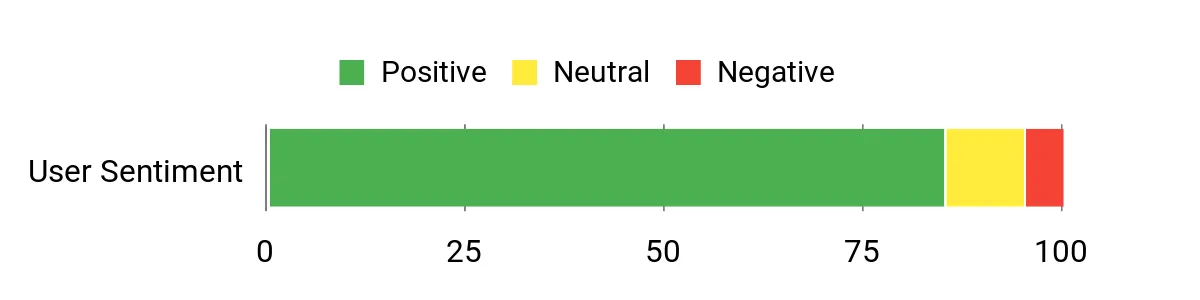
You’ll often see users praise the noticeable speed improvements and the fact that many optimization features are available for free. Some mention a short learning curve when adjusting advanced settings, but most appreciate the plugin’s consistent results and regular updates.
Overall Sentiment: Positive
🗣️ dev_jane
Switched to LiteSpeed Cache and saw a real improvement in load times after enabling the server-level cache and image optimization; the native integration with the web server made the gains feel more stable than my previous plugin.
🗣️ shop_owner
Powerful features for a free plugin. The image optimizer and CDN hooks let me cut down page weight, and the advanced settings allowed me to tune caching for our WooCommerce store without breaking checkout pages.
Integrations
|
Software |
Integration Quality |
|---|---|
|
LiteSpeed Web Server |
Excellent |
|
WordPress Core |
Excellent |
|
WooCommerce |
Very Good |
|
CDN Providers |
Good |
Reliability
High, well-maintained and widely used with regular updates and a strong community presence.
Support
Documentation, community forums, and commercial support from LiteSpeed are available; response times vary by channel.
Key Benefits
- Server-level full-page caching for consistent speed
- Built-in image and asset optimization
- CDN integration and cache control
- Free to use with a large install base
Current Price: $0.00
Rating: 5/5
You can get noticeable speed gains without deep tinkering thanks to Airlift’s one-click approach. It bundles caching, CDN integration, image and asset optimization so daily updates, blog posts, or product launches feel snappier for visitors.
For special events like sales or traffic spikes you can rely on its automated optimizations to reduce load times and keep Core Web Vitals healthier. If you want a low-effort way to improve real user metrics and reduce manual setup, Airlift is a practical choice.
What People Say
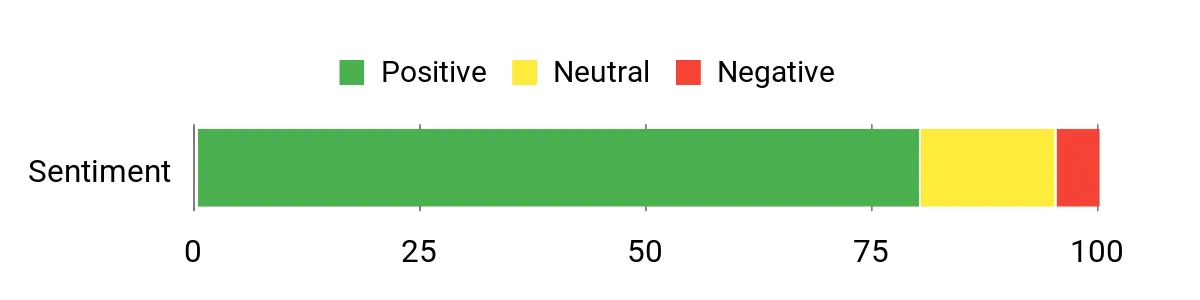
Users commonly highlight how quickly they see performance gains and appreciate the reduced setup friction. A few mention needing help with edge-case conflicts, but most point to better real-world metrics after activation.
Overall Sentiment: Positive
🗣️ site_admin
Setup was almost instant and the site’s Core Web Vitals scores improved after enabling the integrated caching and image optimization. The one-click flow saved time compared with manually wiring CDNs and plugins.
🗣️ lisa_dev
Noticed faster page loads during a product launch when Airlift’s asset optimization and CDN kicked in. Support helped clarify a conflict with a page builder and kept the checkout stable.
Integrations
|
Software |
Integration Quality |
|---|---|
|
WordPress Core |
Excellent |
|
CDN Providers |
Very Good |
|
Image Optimizers |
Very Good |
|
Page Builders |
Good |
Reliability
Generally reliable with automated optimizations; occasional conflicts can appear depending on your theme or other plugins.
Support
Offers expert support and documentation; response times vary but support is available to help resolve integration issues.
Key Benefits
- One-click setup that reduces configuration time
- Improves Core Web Vitals with combined optimizations
- Built-in CDN and asset handling for consistent delivery
- Expert support to resolve conflicts and tuning
Current Price:
Rating:
You can get faster pages without spending hours on configuration because WP Rocket focuses on practical, effective defaults plus easy tuning when you want it. For everyday updates and regular posts it keeps load times down and caching stable, and during high-traffic events like product launches its optimizations and preload features help maintain performance.
Rocket Insights gives you clear metrics so you can see real improvements, and the interface is designed so you spend less time guessing and more time publishing. If you prefer a polished, paid solution that minimizes fuss, WP Rocket is a solid pick.
What People Say
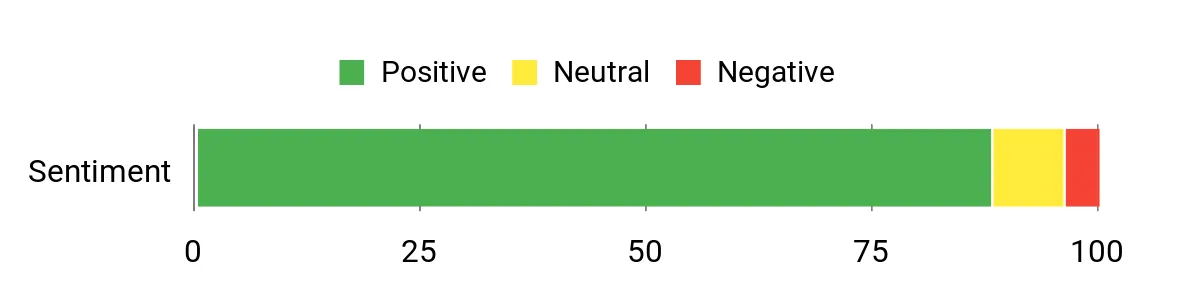
Users often point to immediate speed improvements and the helpfulness of Rocket Insights for diagnosing issues. Many appreciate the balance between simplicity and depth, while a few note that advanced tuning can require a bit of learning.
Overall Sentiment: Positive
🗣️ mark_writer
After installing WP Rocket the PageSpeed scores climbed and real user timings improved. Rocket Insights made it simple to spot what to tweak, and the caching worked right away without complicated setup.
🗣️ emma_store
The plugin smoothed out load times for our small shop during a sale. Asset optimization and lazy loading reduced page weight, and support helped with a minor plugin conflict quickly.
Integrations
|
Software |
Integration Quality |
|---|---|
|
WordPress Core |
Excellent |
|
WooCommerce |
Very Good |
|
Page Builders (Elementor, Divi) |
Very Good |
|
CDN Providers |
Good |
Reliability
High; regularly updated and widely used with consistent performance across many sites.
Support
Active documentation, knowledge base, and support channels with responsive help for license holders.
Key Benefits
- Easy setup with effective defaults
- Built-in performance monitoring via Rocket Insights
- Comprehensive caching and asset optimization
- Good support and clear documentation
Current Price:
Rating: 5/5

If you want granular control over caching behavior and performance tuning, W3 Total Cache puts a lot of options at your fingertips. You can use it for everyday blog updates to shave seconds off page loads or lean on its advanced cache and minification features during high-traffic events like promotions and product launches. It’s especially useful when you host on varied infrastructure and need configurable CDN and minification hooks.
Expect a bit more setup than plug-and-play plugins, but if you don’t mind spending time to tune settings you can get very consistent improvements.
What People Say
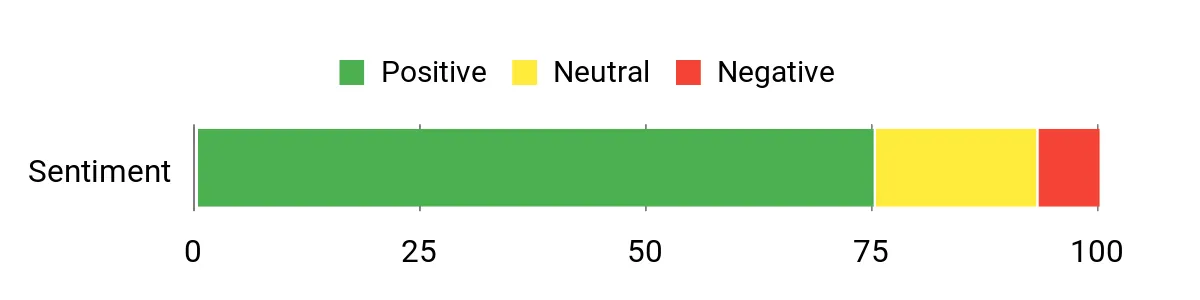
Users typically praise the plugin’s configurable feature set and the real-world gains in load times and server resource use. Some mention the learning curve, but appreciate the depth once it’s set up.
Overall Sentiment: Positive
🗣️ power_user
After enabling advanced caching and minification, page load times dropped noticeably and server CPU usage decreased during traffic spikes, which helped keep the site responsive during sales.
🗣️ admin_tom
CDN integration was straightforward and the caching options allowed fine-tuning for dynamic pages, which improved both user experience and SEO metrics for our content-heavy site.
Integrations
|
Software |
Integration Quality |
|---|---|
|
WordPress Core |
Excellent |
|
CDN Providers |
Very Good |
|
Minification Tools |
Very Good |
|
WooCommerce |
Good |
Reliability
Generally reliable with mature feature set and regular updates; stability depends on correct configuration and hosting environment.
Support
Documentation and community support are strong; premium or professional support options vary by vendor.
Key Benefits
- Advanced caching and minification for detailed tuning
- CDN integration to offload static assets
- Reduced server load during peak traffic
- Suitable for sites that need configurable performance controls
Current Price: $99.00/year
Rating: 4.4/5
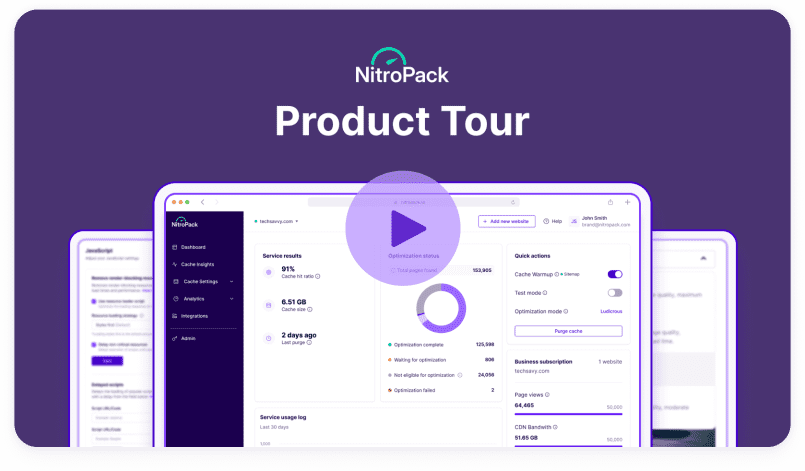
You’ll find NitroPack useful if you want an automated approach that handles most performance work for you. It applies advanced caching, compresses and optimizes images and code, and serves assets from its built-in CDN so everyday posts load faster and special traffic peaks—like sales or product launches—stay smooth.
Setup is mostly hands-off, but you can dive into settings if you want to fine-tune. If you prefer a solution that aims to improve real user metrics with minimal tinkering, NitroPack is worth trying.
What People Say
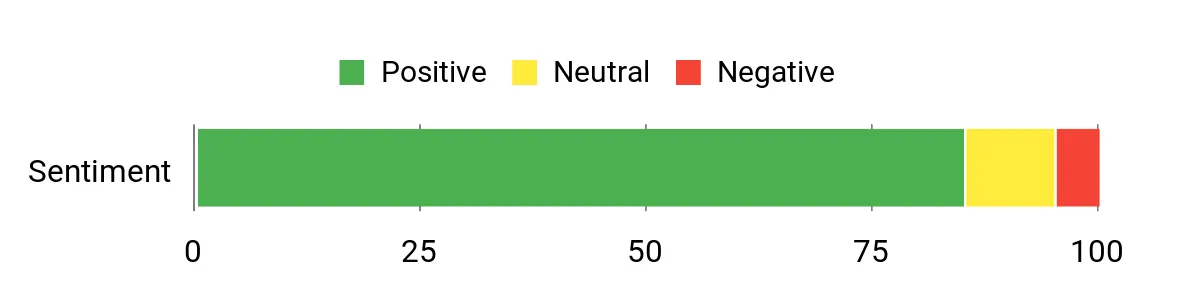
Customers generally report clear improvements in speed metrics and appreciate that many optimizations are automated. A number of users note that NitroPack simplifies the usual mix of plugins and CDN setups, while a few mention wanting more granular control.
Overall Sentiment: Positive
🗣️ site_optimizer
After enabling NitroPack our PageSpeed scores and Core Web Vitals improved noticeably; the built-in CDN and combined optimizations reduced load times across desktop and mobile without manual configuration.
🗣️ shop_admin
Used NitroPack for a WooCommerce store and saw faster checkout page loads during peak traffic. The automatic image and code optimization cut page weight and kept conversions steady.
Integrations
|
Software |
Integration Quality |
|---|---|
|
WordPress Core |
Excellent |
|
WooCommerce |
Very Good |
|
CDN Providers |
Excellent |
|
Page Builders |
Very Good |
Reliability
High; widely used with stable results, though behavior can vary with complex themes or custom setups.
Support
Documentation and support channels are available, and NitroPack provides assistance for configuration and troubleshooting.
Key Benefits
- Improves Core Web Vitals and PageSpeed scores
- Built-in CDN for consistent asset delivery
- Automatic image and code optimization
- Works well for WordPress and WooCommerce sites
Current Price:
Rating: 4.9/5
FAQ
How Do I Choose A Caching Plugin?
You should start by matching the plugin to your hosting environment and technical comfort. If you run LiteSpeed Web Server, LiteSpeed Cache gives you server-level caching and advanced tools for free, while paid options like WP Rocket and NitroPack handle many optimizations automatically.
Consider whether you need built-in image optimization, CDN support, or explicit WooCommerce compatibility, and weigh ease of setup against how much time you want to spend tuning settings. Also factor in cost differences between free plugins and paid plans or services and any ongoing fees such as W3 Total Cache’s premium offering at $99.00/year.
Will A Caching Plugin Break My Site?
You may run into conflicts with dynamic pages, page builders, or other plugins, but most issues are solvable by excluding specific pages from caching or turning off certain optimizations like minification. Always test changes on a staging site or a single page first, clear caches after tweaks, and keep a recent backup so you can revert if needed. If you see problems with checkout pages or logged-in users, check the plugin’s documentation and support for recommended exclusions and troubleshooting steps.
Can Caching Plugins Improve SEO And Core Web Vitals?
Yes, caching and asset optimization can reduce load times and improve metrics like LCP and TTFB, which helps both user experience and search rankings, but the size of the improvement depends on your site’s content and third-party scripts. Plugins that combine caching, image optimization, and CDN delivery often yield the biggest gains, yet you should measure with PageSpeed Insights or real user metrics before and after changes to confirm impact.
Keep in mind that ongoing monitoring is useful because theme updates, plugins, or new scripts can affect performance over time.
Customer Preferences
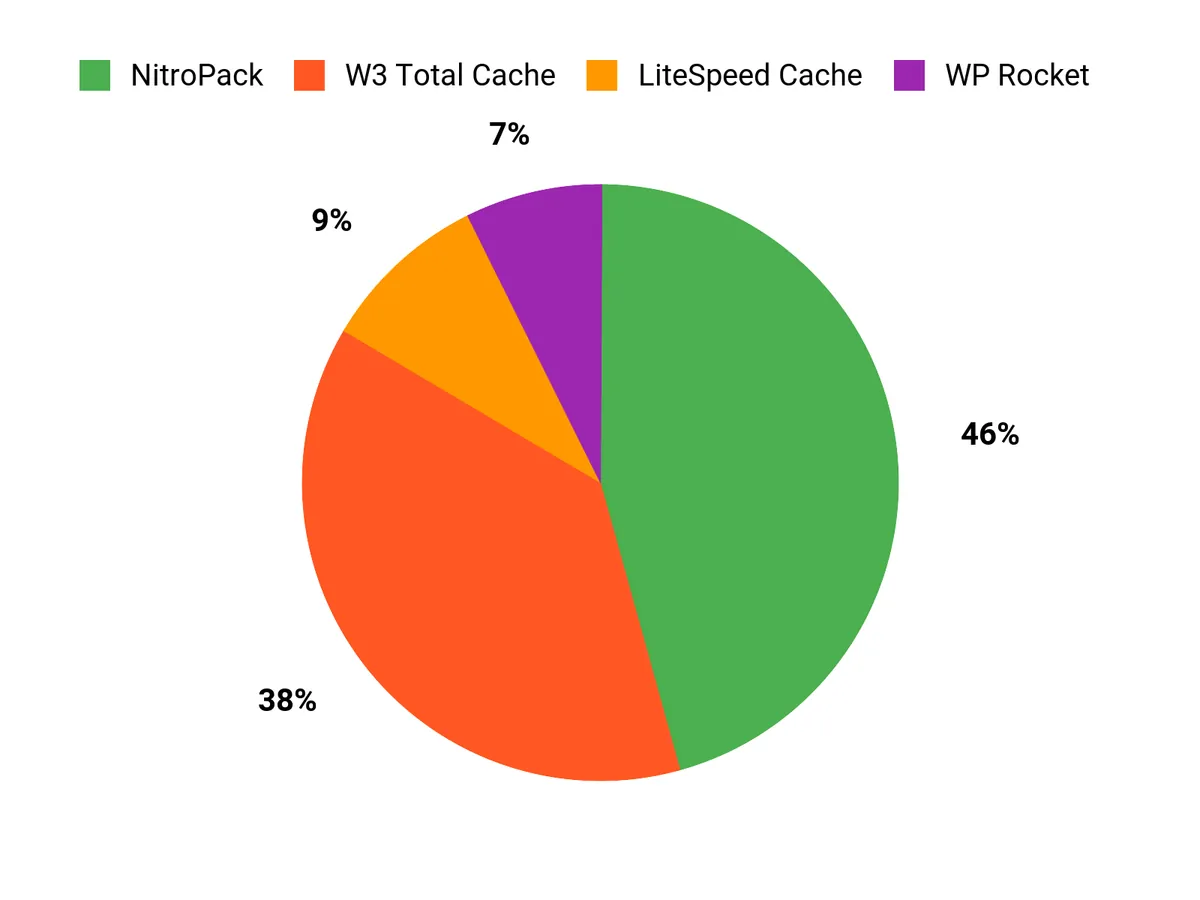
When choosing among LiteSpeed Cache, Airlift, and WP Rocket you usually prioritize hosting compatibility, the balance between control and convenience, and the level of support you need. If you run on LiteSpeed you’ll value server-level caching and deep optimization, Airlift appeals when you want one-click improvements and quick Core Web Vitals gains, and WP Rocket is favored if you want polished defaults, built-in performance insights, and paid support.
Wrapping Up
If you run on LiteSpeed Web Server, LiteSpeed Cache gives you server-level full-page caching and an extensive optimization toolset. For a simple managed approach with one-click improvements and support, Airlift is a strong choice.
WP Rocket is the easiest paid plugin to configure for most sites and is a reliable all‑around pick. NitroPack focuses on delivering top Core Web Vitals and built‑in CDN performance for demanding sites. If you want a feature-rich, affordable option and are comfortable configuring advanced settings, W3 Total Cache remains a solid budget choice.
| Product Name | Image | Rating | Key Highlights | Compatibility | Pricing Plans |
|---|---|---|---|---|---|
| LiteSpeed Cache for WordPress |
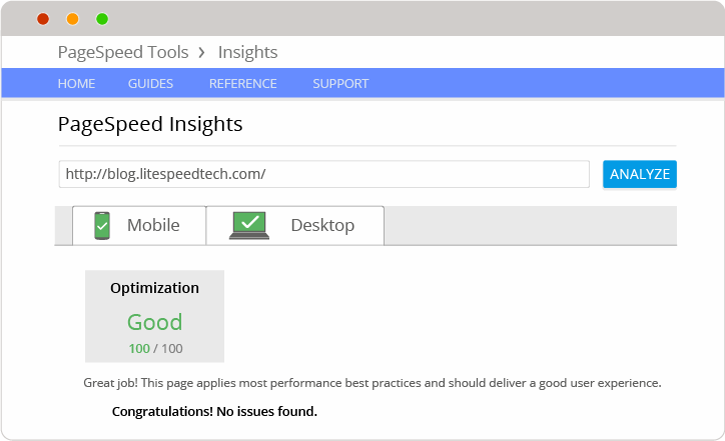 |
5/5 (7+ million reviews) |
|
Works with LiteSpeed Web Server; integrates with WordPress installations. | Free |
| Airlift |
 |
N/A |
|
Compatible with all WordPress sites; does not require specialized server configurations. | Free trial available; subscription pricing not specified. |
| WP Rocket |
 |
5/5 (Trustpilot) |
|
Compatible with all WordPress themes and plugins; optimized for WooCommerce. | Starting at $49/year for a single site. |
| W3 Total Cache |
 |
4.4/5 (N reviews) |
|
Works with most web hosting providers; supports all versions of WordPress. | $99/year |
| NitroPack |
 |
4.9/5 (N reviews) |
|
Works with WordPress and WooCommerce; easy integration. | Starting from $17.50/month for the first site. |
This Roundup is reader-supported. When you click through links we may earn a referral commission on qualifying purchases.